
AdvaTech AAR: Plan. Drill. Review.
After Action Review Software for Active-Threat Drills
AAR is a web app where your team maps its building, plans an active-threat drill, runs it live with each person's phone tracked by GPS, and gets a timed replay and review the moment the drill ends.
For churches, schools, police and businesses. Supports your trainer, doesn't replace them.
How it works
Three steps, one tool
Step 1
Plan the site
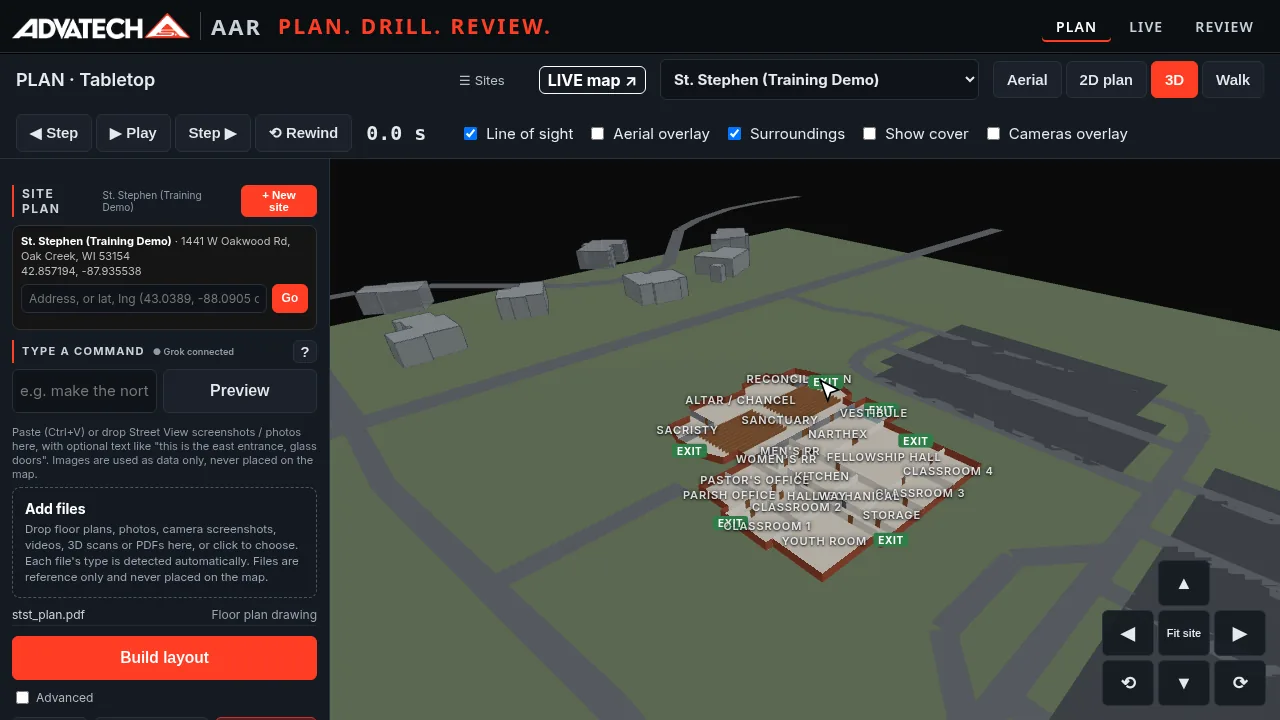
- Add your site and upload a floor plan. The finished layout of walls, rooms and doors shows in 2D and 3D.
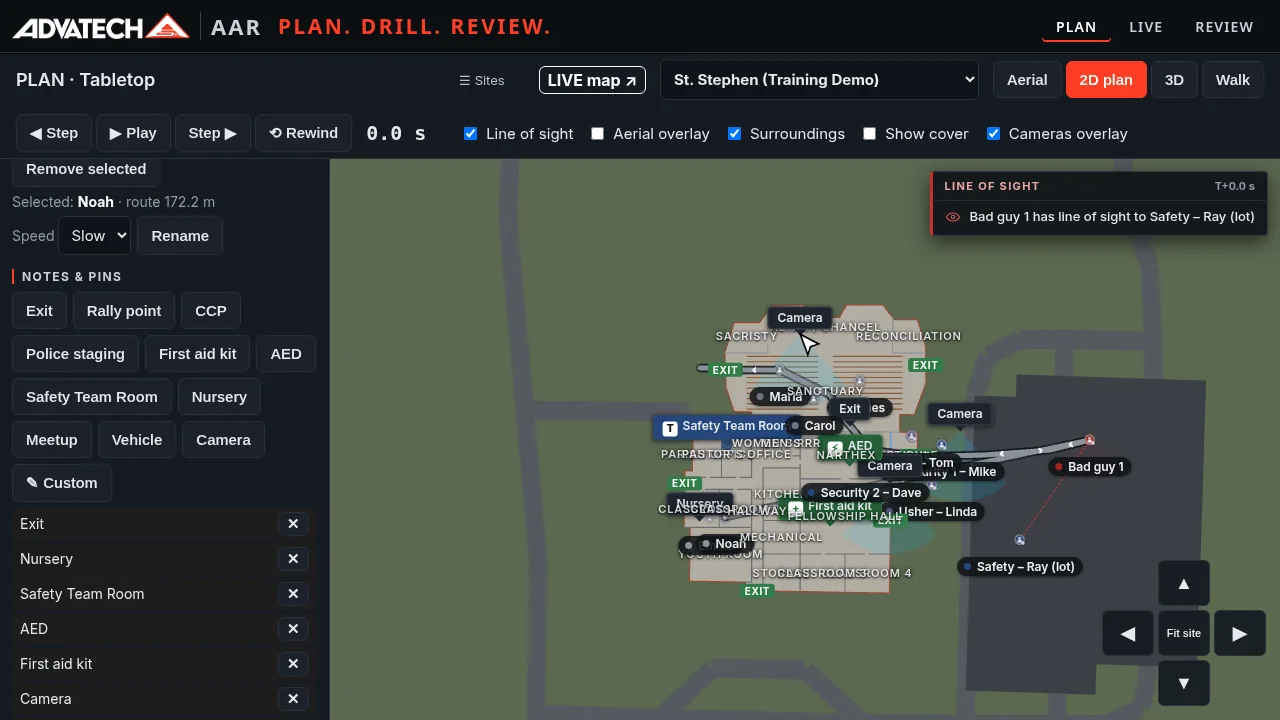
- Mark the safety points: exits, nursery, safety team room, AED and first aid kit.
- Place the threat, your people and the routes each one should take.
- Drop in Axis IP cameras and see what each one covers with its view cone.
Step 2
Run the live drill
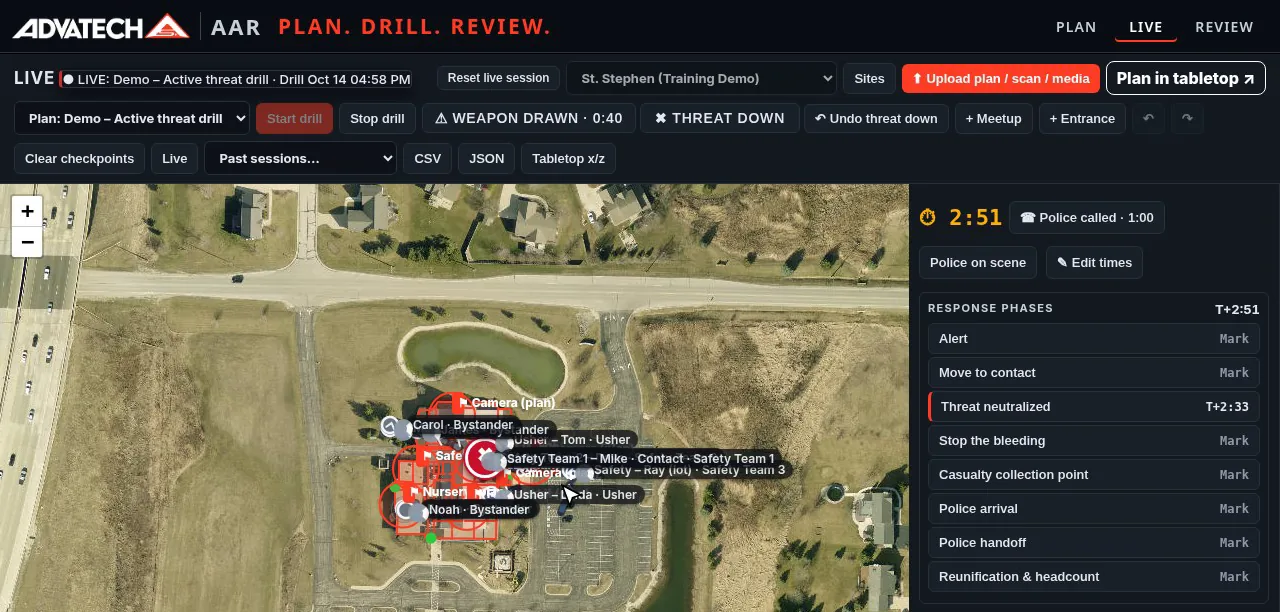
- Invite your team by email or text from the leader console.
- Each person opens the link on their phone, enters their name and joins. The leader approves each phone before it gets into the drill.
- STAND BY, a random 1–4 second wait, one beep, then GO. Every phone starts the clock together.
- Each phone is tracked by GPS during the drill. One tap marks events like weapon drawn, police called and threat down on every screen and in the record.
Step 3
Review the replay
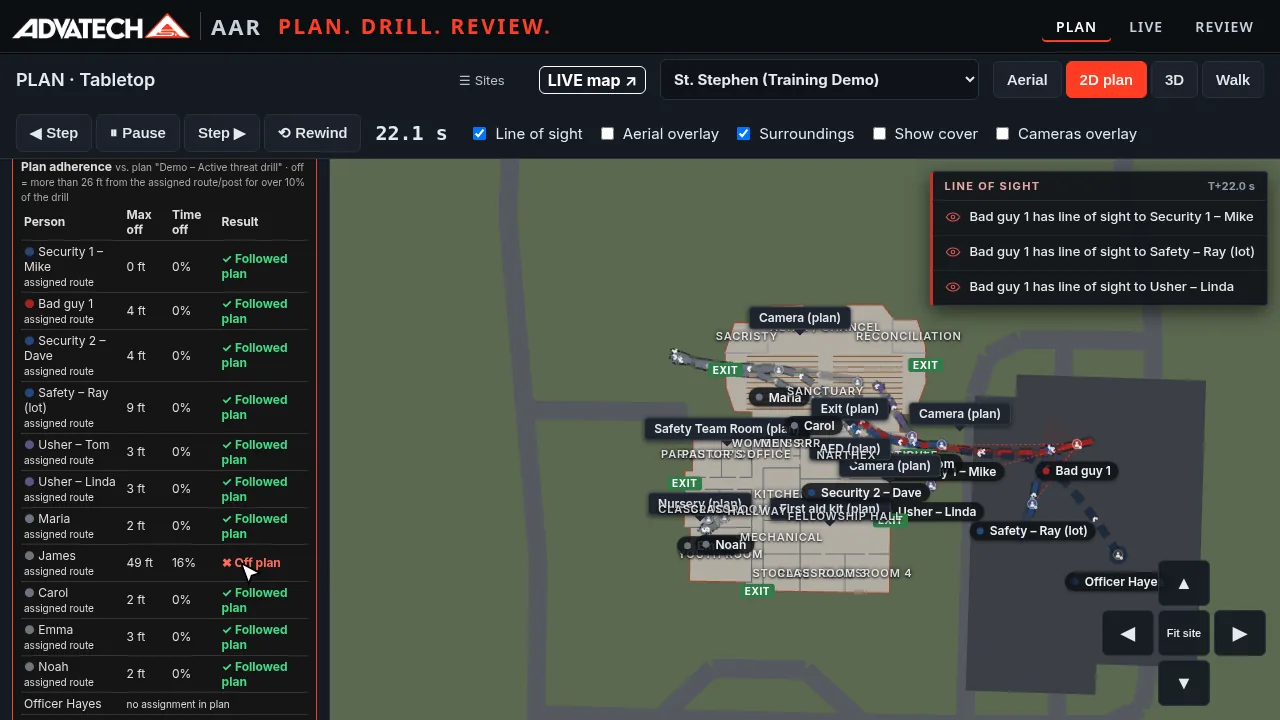
- Play the drill back step by step on your building plan.
- See time to threat down, weapon-to-down time, police call-to-scene time and total time.
- Check plan adherence. AAR flags anyone who went off their planned route.
From a recorded demo drill
What one 5-minute drill review showed
In that drill the weapon was drawn at 0:40, police were called at 1:00, the threat was down at 2:33 and police were on scene at 4:10. The review also flagged one bystander who went more than 26 ft off his route. These are demo numbers on a training site. They show what the review reports, not a promised result.
Who it's for
Built for teams that drill in their own building
Churches
Safety teams, ushers and volunteers practicing the plan for your own sanctuary, nursery and parking lot.
Schools
Map your building, plan the drill and get the timed review the moment it ends.
Police
Small departments and school resource officers can use it as a pre-plan and training tool.
Businesses
Security staff plan the routes, run the drill and see who followed the plan.
Supports your trainer, doesn't replace them
AAR is a planning, drill and review tool. It works alongside your trainer and your safety plan. It isn't a training course.
From a local Wisconsin integrator
AAR comes from AdvaTech Security in New Berlin, the same team that installs Axis cameras and access control for churches, schools and businesses across Southeastern Wisconsin. Call us at (414) 939-5079 or book a demo below.
Book a 20-Minute Demo
Tell us about your building and your team. We'll walk you through planning, a live drill and the review in about 20 minutes. Prefer to talk now? Call (414) 939-5079.